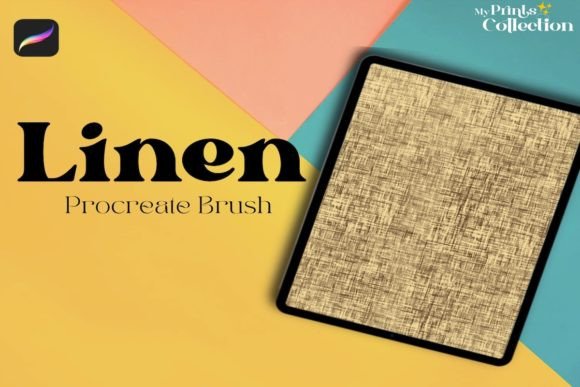
Mastering Texture in Digital Art with the Linen Single Procreate Brush
Digital art has evolved from flat, vector-like compositions to rich, textured masterpieces that rival traditional media. For lettering artists, illustrators, and concept designers, the ability to introduce organic imperfection is often what separates a good piece from a great one. Among the myriad of tools available for the iPad, specialized brushes play a pivotal role in defining an artist's unique voice. The Linen Single Procreate Brush stands out as a specialized tool designed to inject tactile realism into digital workflows. Unlike generic texture overlays, this brush allows for dynamic, hand-drawn integration of fabric-like patterns, offering a level of control that static images cannot match.
Understanding how to effectively utilize such a specific tool requires more than just downloading a file; it demands an appreciation for how texture interacts with light, form, and composition. This guide explores the practical applications, technical requirements, and creative possibilities unlocked by incorporating linen textures into your digital repertoire.
The Aesthetic Value of Organic Texture
In the early days of digital illustration, clean lines and solid colors were the norm. However, contemporary design trends have shifted heavily toward warmth and authenticity. Viewers are drawn to artwork that feels human-made, even when created on a glass screen. The linen texture is particularly powerful because it is subtle yet pervasive. It mimics the weave of natural fabric, providing a underlying structure that breaks up large areas of flat color without overwhelming the subject matter.
When you use the Linen Single Procreate Brush, you are not merely applying a pattern; you are simulating the physical interaction between pigment and canvas. This is crucial for creating depth. In traditional painting, the tooth of the canvas grabs the paint, creating micro-variations in coverage. Digitally replicating this effect adds a layer of sophistication to lettering and character design. It prevents the "plastic" look that often plagues beginner digital art, grounding the image in a sense of physical reality.
Technical Specifications and Compatibility
Before diving into creative applications, it is essential to understand the technical framework required to operate this tool effectively. Digital brushes are not universal; they are coded specifically for the rendering engines of particular software. The Linen Single Procreate Brush is distributed as a .brushset file, which is native to the Procreate ecosystem.
- Software Requirement: You must have the Procreate App installed on your iPad. Specifically, version 5 or higher is required to ensure full compatibility with the brush engine features used in this set.
- File Format: The download includes one
.brushsetfile containing the Linen Single brush. This format allows for easy installation directly into your Procreate brush library. - Incompatibility Notice: It is critical to note that this brush is not compatible with Adobe Photoshop, Illustrator, or other desktop-based graphic design software. Attempting to import this file into non-Procreate environments will result in errors or unsupported file messages.
This specificity ensures that the brush performs optimally within Procreate’s streamlined interface, leveraging the Apple Pencil’s pressure sensitivity and tilt recognition to deliver a responsive drawing experience.
Applications in Lettering and Calligraphy
One of the most compelling use cases for the Linen Single Procreate Brush is in the realm of hand-lettering and calligraphy. Digital lettering can sometimes appear too perfect, lacking the ink bleed or paper grain that gives handwritten text its charm. By integrating a linen texture, artists can simulate the look of ink settling into high-quality cardstock or fabric banners.
Consider a wedding invitation design or a quote poster. Using the linen brush as a clipping mask over your lettering can add a subtle, sophisticated grain. Alternatively, you can use it to create the letterforms themselves. Because the brush mimics the irregularity of a woven surface, strokes created with it have built-in variation. This reduces the need for manual distressing or adding separate noise layers, streamlining the workflow while maintaining a high-end aesthetic. The result is typography that feels tangible and inviting.
Enhancing Illustrations and Character Design
Beyond typography, illustrators find immense value in texture brushes for adding detail to characters and environments. The Linen Single Procreate Brush is particularly effective for rendering clothing and accessories. When drawing a character wearing a shirt, dress, or sackcloth, using a standard round brush requires significant effort to manually paint in the weave. With this specialized brush, the texture is inherent to the stroke.
Artists can use this tool to quickly block in fabrics, ensuring that the material reads correctly to the viewer. It is also excellent for adding atmospheric details. For example, applying a light pass of the linen brush over a background can unify disparate elements, making them feel like they exist in the same physical space. This technique is often used in children’s book illustrations to create a cozy, storybook feel that resonates with young audiences.
Workflow Integration and Best Practices
To get the most out of the Linen Single Procreate Brush, it is helpful to adopt a layered approach to your digital painting process. Here is a recommended workflow for integrating this tool into your projects:
- Base Layer: Start with your standard sketch and flat colors on separate layers. Ensure your foundational shapes and values are solid before introducing texture.
- Texture Layer: Create a new layer above your base colors. Set the blending mode to Multiply for darker textures or Overlay for lighter, highlighted effects. Select the Linen Single brush.
- Application: Gently stroke over the areas where you want texture. Remember that less is often more. The goal is to suggest the presence of linen, not to obscure the underlying art. Use low opacity if the effect is too strong.
- Refinement: Use the eraser tool, possibly with the same linen brush shape, to remove texture from areas that should remain smooth, such as skin or shiny metal objects. This contrast enhances the realism of the textured areas.
It is also advisable to watch the video included in the listing of this product. Visual demonstrations often reveal nuances in pressure sensitivity and angle usage that written instructions may miss. Seeing the brush in action can provide immediate insights into stroke speed and hand positioning.
Considerations for Professional Use
For professionals selling their work or using it for commercial clients, understanding the limitations and strengths of your tools is vital. The Linen Single Procreate Brush is a niche tool, meaning it solves a specific problem rather than serving as a general-purpose instrument. Its strength lies in its specialization. However, reliance on any single brush can lead to a repetitive style. It is best used as part of a broader toolkit, combined with smooth blending brushes and hard-edged markers.
Furthermore, because this brush is exclusive to Procreate, artists who work across multiple platforms (such as switching between iPad and desktop) will need to find equivalent alternatives for their desktop workflow. There is no direct cross-platform compatibility, so project files containing this brush cannot be seamlessly edited in Photoshop without rasterizing the layers, which limits future editability. Therefore, it is wise to keep your textured layers separate and well-organized.
Creative Expansion Beyond Traditional Uses
While the primary intent of the Linen Single Procreate Brush is to mimic fabric, creative users often push tools beyond their intended boundaries. Experiment with using this brush for landscape elements. The irregular, woven pattern can resemble distant foliage, rocky textures, or even water ripples when used with varying opacity and flow settings. By changing the color dynamics and size jitter, you can transform a linen texture into a variety of organic patterns.
Educators and hobbyists can also use this brush to teach concepts of materiality. Demonstrating how different surfaces reflect light and hold pigment helps students understand the physics of art, even in a digital environment. The immediate feedback loop of Procreate allows for rapid experimentation, encouraging users to test how the linen texture interacts with different color palettes and lighting scenarios.
In conclusion, the Linen Single Procreate Brush is more than a simple digital asset; it is a bridge between the tactile world of traditional media and the flexibility of digital art. By meeting the software requirements and understanding its optimal use cases in lettering and illustration, artists can elevate their work with subtle, professional-grade texture. Whether you are a seasoned professional looking to refine your details or a hobbyist exploring new styles, this tool offers a straightforward path to adding depth and character to your creative projects.