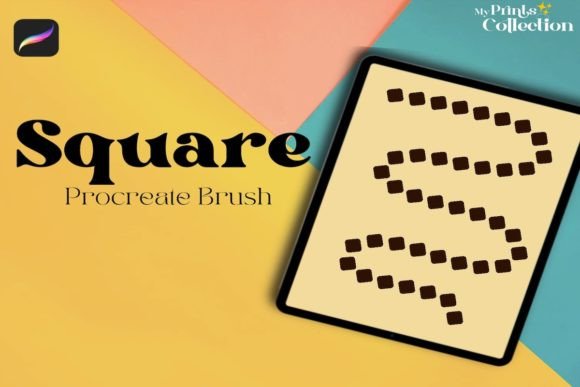
Round Square Procreate Brush Guide
Digital illustration thrives on texture and consistency. Whether you are designing a seamless pattern for fabric or adding subtle borders to hand-lettered quotes, the tools you choose define your workflow efficiency. The Round Square Procreate Brush offers a specific geometric aesthetic that bridges the gap between rigid structure and organic flow. This tool is not just a stamp; it is a foundational element for creating boho-inspired designs that feel both modern and timeless.
Understanding how this single brush functions within the broader ecosystem of digital art requires looking beyond its file size. At just 1 MB, the download is lightweight, but its utility spans various creative disciplines. From the hobbyist sketching in their living room to the professional designer meeting tight client deadlines, the value of this tool lies in its seamless repeatability and ease of integration into existing projects.
Defining the Tool and Its Technical Scope
Before diving into applications, it is crucial to understand what this product actually is. The Round Square Procreate Brush is a digital asset delivered as a .brushset file. It is designed exclusively for the Procreate app, requiring version 5 or higher to function correctly. It is important to note that this tool is not compatible with Adobe Photoshop or Illustrator. This specificity ensures that the brush engine interacts perfectly with Procreate’s native stroke stabilization and pressure sensitivity features.
The term "Round Square" refers to the shape profile of the brush tip. Unlike a perfect circle or a sharp-edged square, this hybrid shape creates soft corners with defined edges. When used as a seamless brush, it allows artists to draw continuous lines that interlock without visible breaks. This capability is essential for creating borders, frames, and repeating patterns that maintain visual integrity across large surfaces.
Perspectives from Different Creative Roles
The way a creator evaluates a digital tool depends heavily on their end goals. What matters to a student learning the basics may differ significantly from what a small business owner needs for product packaging. Here is how different audiences might approach the Round Square Procreate Brush.
For Beginners and Hobbyists
If you are new to digital art, the learning curve of complex software can be daunting. Beginners often prioritize ease of use and immediate visual results. This brush serves as an excellent entry point because it removes the technical burden of manually aligning shapes. Instead of struggling to make a border look straight and consistent, a beginner can focus on composition and color theory. The seamless nature of the brush provides instant gratification, encouraging continued practice and exploration of pattern design.
For hobbyists, the low cost and small file size reduce the risk of trial. There is no need for expensive subscriptions or heavy hardware upgrades. You can download the zip file, install it in seconds, and start experimenting with boho patterns during a quiet evening. The primary value here is accessibility and the joy of creation without technical friction.
For Professional Illustrators and Lettering Artists
Professionals operate under different constraints, primarily time and reliability. A lettering artist might spend hours perfecting a quote, only to realize the surrounding frame looks disjointed. The Round Square Procreate Brush solves this by offering a consistent aesthetic that complements hand-drawn text. Professionals evaluate tools based on how well they integrate into a polished workflow. Since this brush is designed for Procreate version 5+, it leverages the app’s latest rendering engines, ensuring smooth strokes even at high resolutions.
Moreover, professionals often need to deliver vector-like precision in a raster environment. While this brush does not convert to vectors, its seamless quality allows for high-resolution exports suitable for print-on-demand services. The ability to quickly generate complex borders means more time can be allocated to client communication and concept development, enhancing overall productivity.
For Entrepreneurs and Small Business Owners
Small business owners, particularly those in the handmade or digital product space, often wear multiple hats. They are the marketer, the designer, and the customer service representative. For this group, the commercial value of a tool is paramount. Creating unique packaging designs, social media graphics, or printable planners requires distinct visual elements that stand out in a crowded market.
The boho aesthetic associated with the Round Square shape is currently popular in lifestyle branding. Using this brush allows entrepreneurs to create cohesive brand assets without hiring an external designer. The key consideration here is versatility. Can this single brush be used for Instagram stories, product labels, and website banners? If the answer is yes, it represents a high return on investment. The seamless feature is particularly useful for creating background textures for websites or printed materials, adding depth without overwhelming the main content.
For Educators and Content Creators
Educators teaching digital art or bloggers creating tutorial content need tools that demonstrate clear principles. The Round Square Procreate Brush can be used to teach concepts like repetition, symmetry, and pattern balance. Because the brush handles the technical aspect of seamlessness, instructors can focus on teaching design theory rather than troubleshooting software glitches.
Content creators, such as YouTubers or Instagram influencers, often need quick visual assets to engage their audience. A unique border created with this brush can frame a quote graphic or highlight a key takeaway in a video thumbnail. The distinct shape helps in building a recognizable visual style, which is crucial for audience retention and brand identity.
Practical Applications and Use Cases
To truly gauge whether this tool fits your needs, consider these practical scenarios. Each example highlights a different priority, such as speed, creativity, or presentation.
- Seamless Patterns: Use the brush to create repeating backgrounds for digital planners. The round-square shape interlocks naturally, reducing the visibility of tile edges.
- Lettering Frames: Surround hand-lettered quotes with a delicate border. The soft corners of the brush complement the organic curves of calligraphy.
- Textile Design: Draft initial concepts for fabric prints. While final production may require vector files, this brush allows for rapid ideation and client approval.
- Social Media Templates: Create consistent story highlights or post borders. The uniformity of the brush ensures your feed looks cohesive and professional.
Evaluating Fit for Your Workflow
Deciding to add the Round Square Procreate Brush to your library should depend on your current project requirements and technical setup. First, verify your software version. If you are using Procreate 5 or higher, you are ready to go. If you rely on Photoshop or Illustrator, this tool will not serve you, and you should look for vector alternatives or Photoshop-specific brushes.
Second, consider your aesthetic goals. If your work leans towards minimalism, industrial design, or hyper-realism, this boho-inspired shape may not align with your style. However, if you enjoy organic, warm, and textured designs, this brush offers a specialized solution that generic tools cannot replicate easily.
Finally, think about long-term usefulness. A single brush may seem limited, but when mastered, it becomes a signature element of your style. Many successful artists build their portfolios around a few core tools they know intimately. By focusing on the capabilities of this specific brush, you can develop a unique visual language that distinguishes your work from others.
In conclusion, the Round Square Procreate Brush is a focused, efficient tool for specific creative needs. It empowers users across various skill levels to create professional-looking patterns and borders with minimal effort. By understanding its technical limitations and creative potential, you can determine if it is the right addition to your digital art toolkit.